From flat artwork to a 3D object everyone can understand
Turn your vector layers and measurements into a piece you can review, place and explain before production.
Test before you cut, paint, glue, weld…
Design in 2D. Visualize in 3D
Give your design depth
Layers, materials and real dimensions
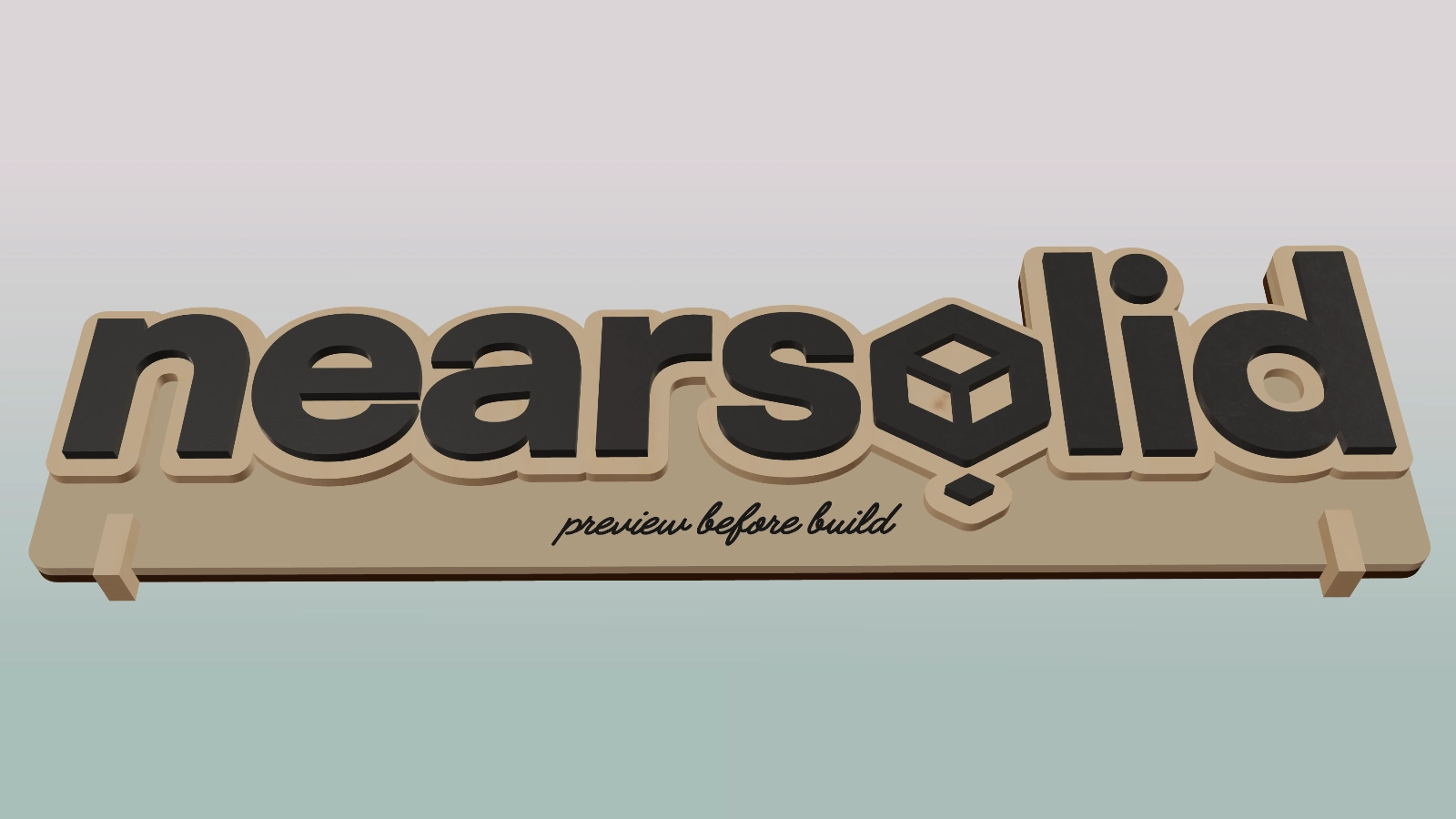
Start with the vector design you already have and turn it into a layered model. Adjust thickness, material and order to review how it will be built before ordering or cutting material.
Check how it fits
In 3D and at true scale
Open it on your phone and place it at true scale in your space before production. Check presence, impact and fit, compare options and share screenshots or video without asking people to imagine the result.
Present it clearly
The same piece, in a real photo
Place the model you have built in a real photo and adjust framing, scale and perspective. An image to explain, quote or validate, without Photoshop or render tools.
Your design starts where you work.
Illustrator
NearSolid accepts SVG, vector PDF and PDF-compatible Illustrator files. Prepare a layered SVG
See it in Action!
From design to real space, in seconds.
Useful features for real work
Details that save mistakes, time and material in day-to-day work
- Customize layer properties
Try different finishes, thicknesses, and material combinations without redoing the design or building prototypes.
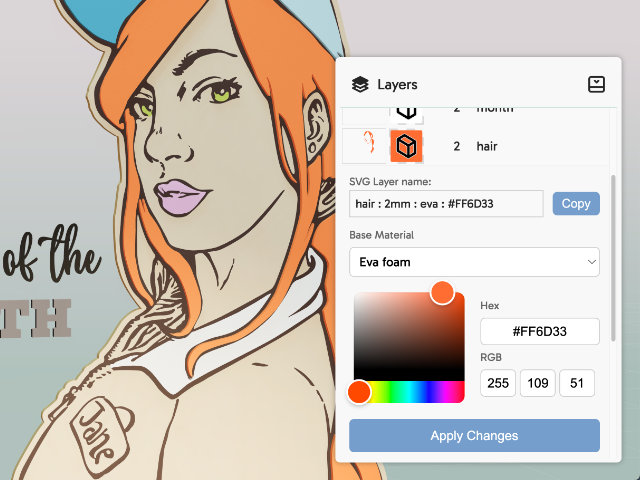
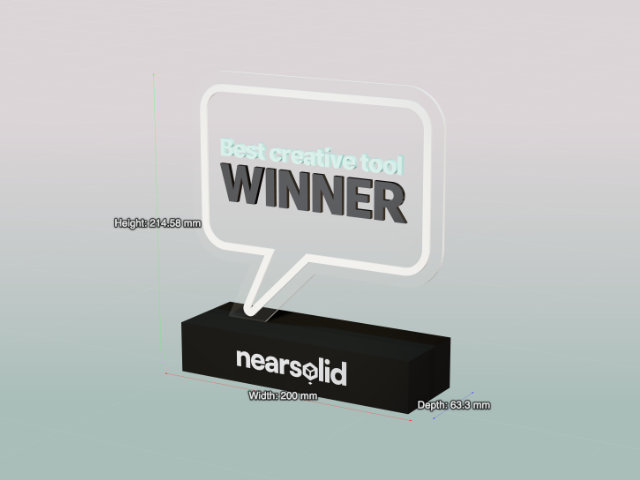
- View dimensions
Check measurements and proportions in real time to avoid scale surprises before you build.
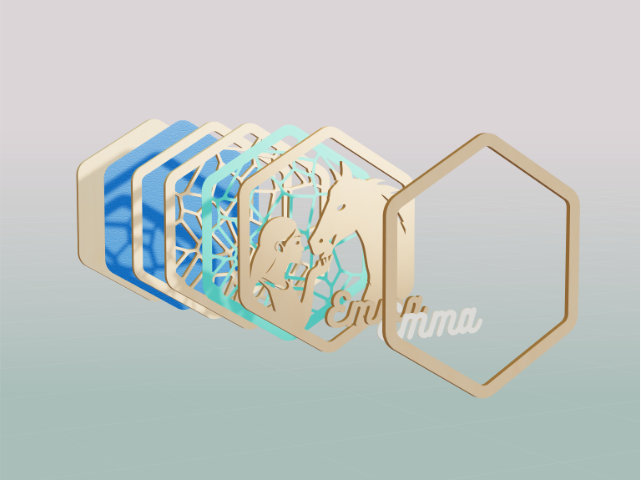
- Layered exploded view:
Visually separate the design to review stacking order, thicknesses, and materials, spot errors and show what goes in front, what goes behind, and how it fits together before manufacturing.
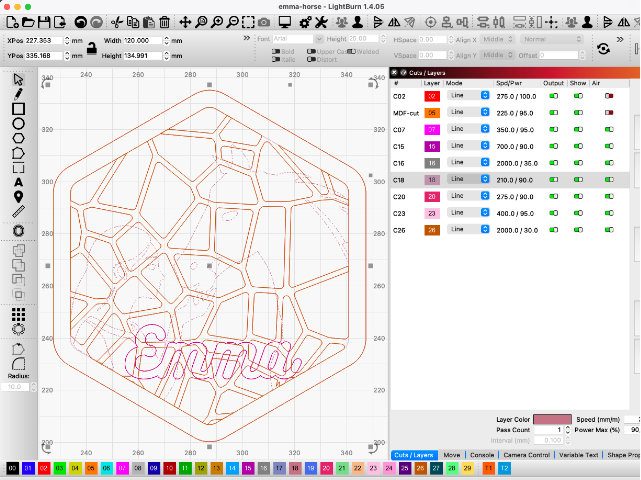
- Prepare vector output
Export clean SVG, a LightBurn-ready SVG or vector DXF to continue in your fabrication software.
- 3D model download
Download your 3D model in GLTF or USDZ format to use in other 3D software or share with clients.
Built for creators. Ready for business.
Design in the vector tool you already use and bring the result into NearSolid. As a maker, you know how valuable it is to save hours of work and material.
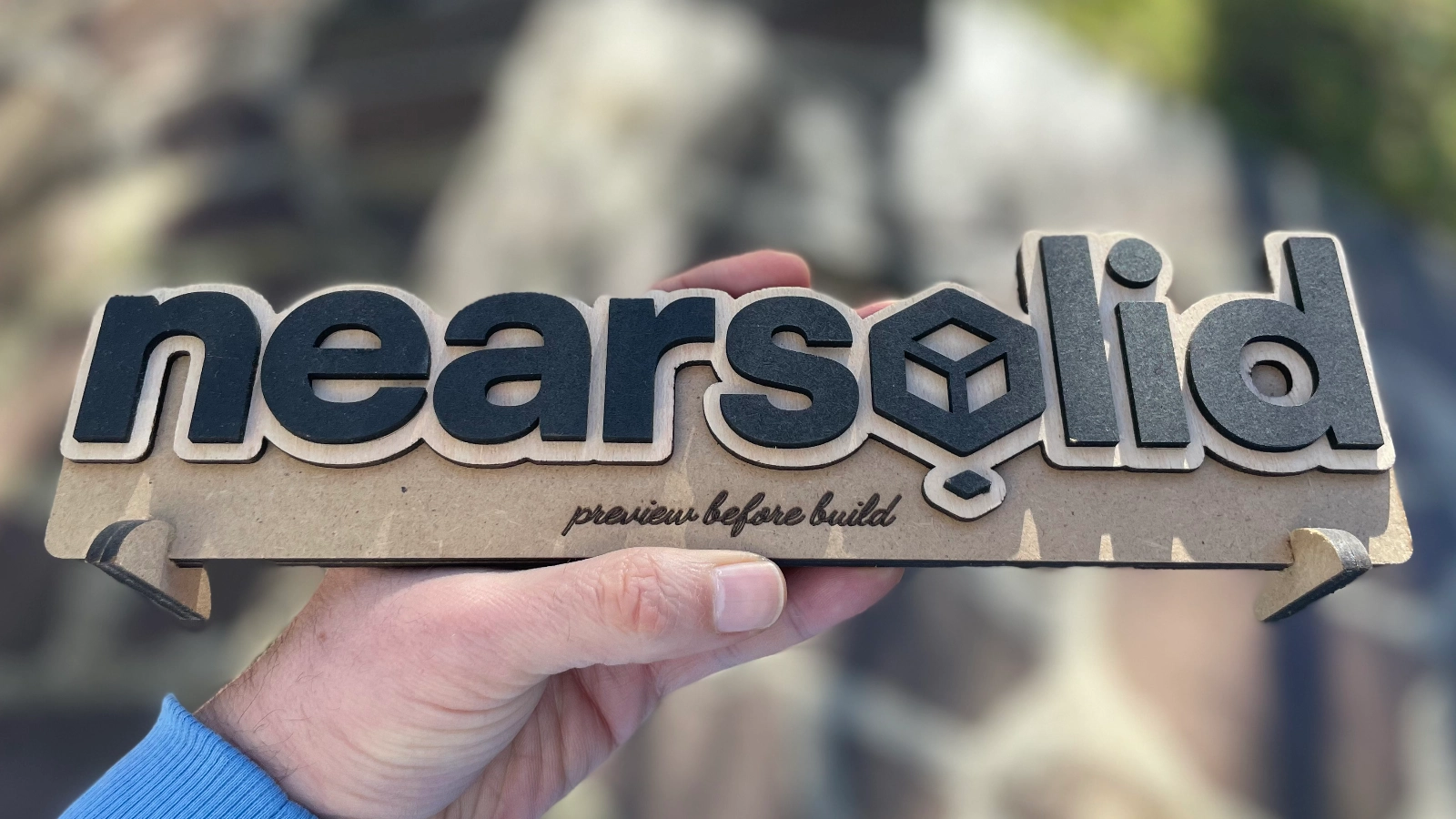
With NearSolid, you can review your project in 3D before you build and share it with clients through layers, dimensions and context, while reducing iterations, time, and material before the final prototype.
Start free. Unlock everything
Sign up and get full access to NearSolid Pro for 14 days – no credit card required.
Free Plan
After trial – great for testing or light use
- 3D model, scene, and PhotoMatch
- Layers, materials, and dimensions
- Save .nsolid projects and export SVG
- AR at true scale from your phone
- DXF and 3D model formats
- Watermarked image captures
Pro
Per month billed monthly.
- Everything in Free, with no watermarks
- AR at true scale from your phone
- DXF for cutting and SVG for LightBurn
- 3D models: glTF, USDZ, and 3MF
- Priority access to new features
Pro Lifetime
Only 26 seats available!
Early Bird Special
- All Pro features
- Lifetime access – no renewals
- Future updates
- Priority support
- Early adopter badge
Design in your favorite app. Visualize it here in 3D. Try everything free for 14 days — no installs needed.
Frequently asked questions
Do I need a credit card to try it?
No. The 14-day Pro trial doesn't ask for a card — if you do nothing, your account automatically drops to the Free plan, not a charge.
What happens when the 14-day trial ends?
Your account automatically moves to the Free plan. You can keep using NearSolid, just without AR view or exports, and with a watermark. Upgrade to Pro whenever you want.
Do I lose my designs if I cancel or downgrade?
No. NearSolid processes your designs in your own browser — they're never uploaded to our servers. They're yours, always, regardless of your plan.
Do I need to learn new software?
No. You design in whichever vector tool you already use (Illustrator, Affinity, Inkscape, Corel...) and bring the file into NearSolid. SVG is the most universal format between applications; you can also import vector PDF and PDF-compatible Illustrator files. NearSolid does not replace your design tool: it complements it.
What's the difference between the Yearly and Lifetime plans?
Yearly is an ongoing subscription with the discount already applied; Lifetime is a one-time payment with no renewals — for when you know you'll be using it for years and would rather not think about it again.
Can I cancel anytime?
Yes, you can cancel your subscription anytime from your billing dashboard.
What can I export?
Clean SVG, LightBurn-ready SVG, vector DXF, and 3D models in glTF, USDZ (for AR on iOS) and 3MF — depending on your plan. NearSolid prepares the output for the next step; machine settings and nesting stay in your fabrication software.
What our users are saying
- “ It really changed the way I work. I used to keep two versions of every design: one clean version to send to LightBurn, and another ‘nice looking’ one, with colors and shadows, to show clients (or my wife). Now, using NearSolid to preview, I just work with a single design in Illustrator. ”
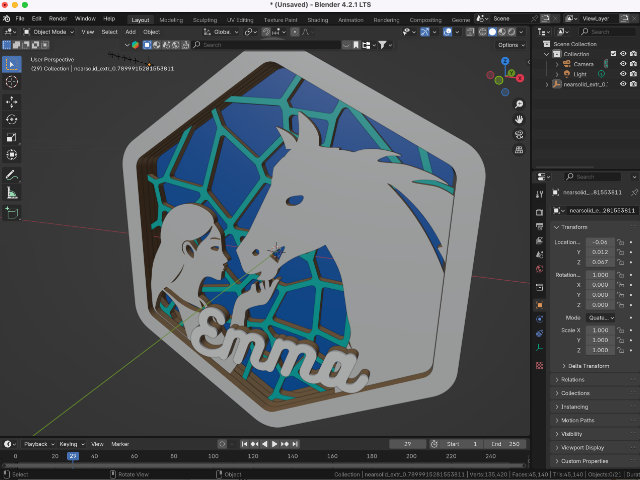
- “ I have been a designer for years and I am very comfortable with vector work. But every time I wanted to see an idea in 3D, it was the same story: open Blender, import it, extrude it, move stuff around, remember the controls, fight with it for a bit… and if I had to change anything, back to square one. With NearSolid I can see it instantly and just keep designing. ”
- “ Simple and elegant. It just works. I really like that it is browser based. In the studio I use a Mac with Safari, and in the workshop we use Windows with Edge. I keep all the projects in a Google Drive folder and can work on them from anywhere. ”
- “ I run a signage workshop and we also do quite a bit of laser and CNC work. It has become our go to way to show ideas to clients. The designs are clear and easy to understand, and most questions are gone before we start building. ”
- “ This has saved me a lot of hours. Before, I had to jump into Photoshop just to visualize layered pieces, add some fake shadows… Now I can see it directly in NearSolid and get a pretty good idea of how it will look. It is a big change in my day to day work. ”
- “ This is awesome. I honestly cannot believe you can see your design right there, almost like it is already real. ”
Get the first-steps guide
Illustrator templates, the compatible materials list, and the step-by-step guide to prep your first NearSolid design — straight to your inbox.