How to show a sign on a real photo
A long conversation with a signage studio ended up defining PhotoMatch: showing a proposal on a real photo without building a full render.
I spent more than an hour talking with the manager of a full-service signage studio. I came in with the NearSolid demo, but the conversation quickly moved somewhere else: bottlenecks, dependence on the team’s 3D specialist, and the dead time involved in validating things that should not require that much overhead.
What she described was familiar. They had someone very good at 3D handling the complex jobs, which are the ones that really need it. The problem was that anything involving volume ended up going through that person as well, even when they only wanted to check whether a piece had enough presence, whether a composition was breathing properly, or whether a proposal for a client was heading in the right direction.
An AI-generated image can help explore an idea or start a conversation, but once you already have the original vector, you gain something else: you can show the proposal with dimensions, layers, and proportions that still matter when it is time to revise, quote, or manufacture it.
That is where NearSolid fit well: not as a replacement for full 3D, and not as a tool for complex visualizations, but as a faster step before that, inside the vector workflow.
But one question kept coming back: if augmented reality is so useful for checking a piece in context, why not do something similar on your own photo?
That need led to PhotoMatch.
The feature lets you place the design over a real photograph and adjust perspective and framing directly on top of the image. It does not try to replace Blender or a polished render. It solves something earlier: showing a convincing proposal and correcting visual decisions without turning every iteration into a larger technical job.
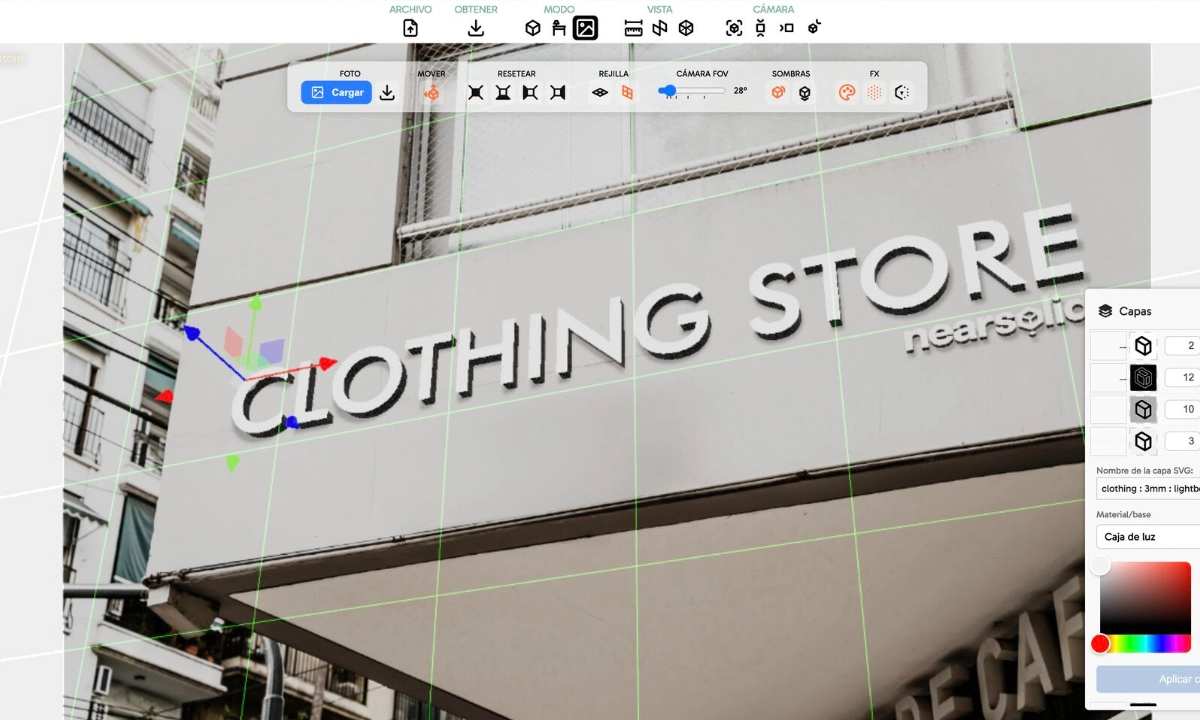
PhotoMatch came from a concrete need. It also helped place NearSolid more clearly: not at the final render stage, but earlier, while you are still showing, comparing, and correcting.
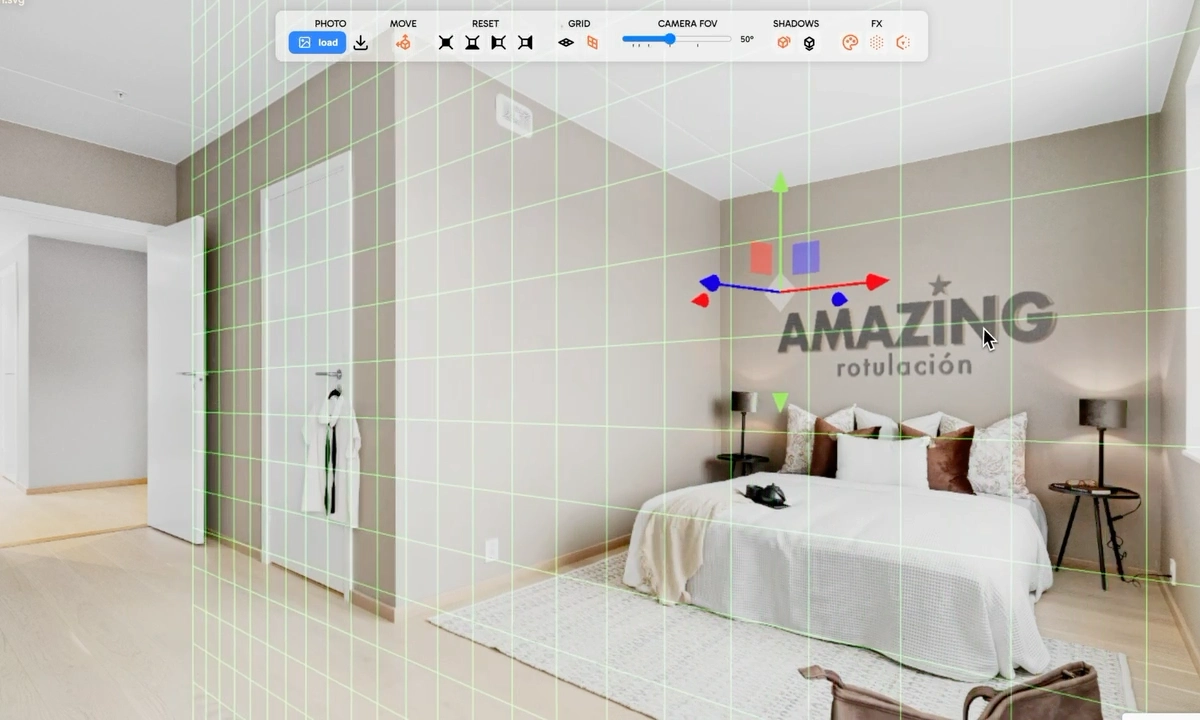
If you want to see it in motion, there is a PhotoMatch demo on YouTube. It also appears briefly on the NearSolid signage page.